Here you will find assistance and solutions for all Cellgym products:
Support-Center
How can we assist you today?

Welcome to Cellgym Service
Here you will find all the important addresses for your support inquiries. We are here to assist you with
any questions or concerns regarding our products.
Support via Remote Maintenance
Immediate Assistance with an Expert
Schedule a remote maintenance appointment with one of our software experts.
For the scheduled appointment, you will need the TeamViewer QuickSupport participant module.
You can download it either here or by clicking on the adjacent image.
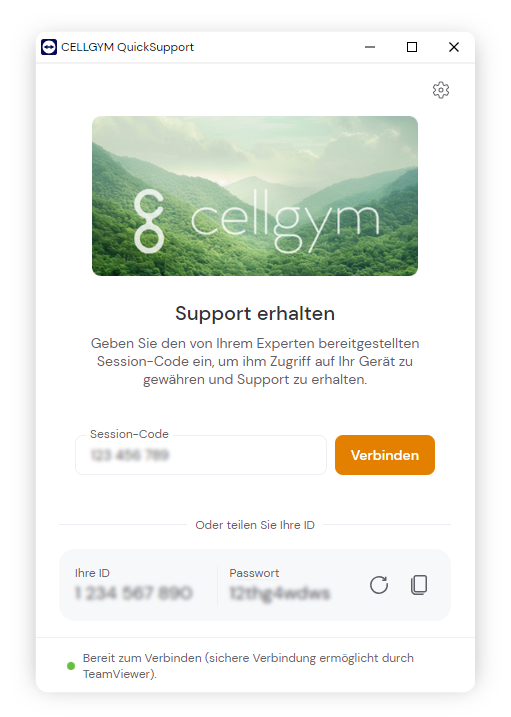
Provide your ID and the password for the remote maintenance session to your phone representative upon request. You can find these details on the start screen after successfully launching the QuickSupport participant module.
Contact to Service
Online Inquiry
Through our online form, you can reach us 24/7 with your concerns. Typically, you will receive a response within 24 hours, but no later than the next business day.
By Phone
Do you have a problem and wish to contact one of our support staff directly?
Our support team is available Monday to Friday from 9 AM to 4 PM (CET)!
Device Maintenance/Repair
Regular maintenance guarantees flawless functionality, high durability, and long-term value retention of your Cellair models.
***
Support via Remote Maintenance
An expert can provide the necessary assistance through remote control of your PC.
Scheduling an appointment is required for this service.
User-Manual
Always up-to-date, you can find the user manual for your hypoxia device and the operating manual for the training control software in this section.
***
Training & Online-Course
In the training portal, we offer extensive video course material on hypoxia training, as well as webinar recordings and roundtable event sessions.
***
Firmware & Software-Updates
To fully utilize your product, keep the software and firmware of your Cellair model up to date. Everything you need for this can be found in the download area.
FAQ & Helpcenter
In this section, you will find an overview of frequently asked questions (FAQ) and a compilation of known issues and their solutions.
***
Product Registration
Please register your Cellair product with the serial number. This way, you will receive all news and software updates for your product.
***